High Bandwidth VPS: Which Providers Actually Hit 1 Gbps (Tested 2026)
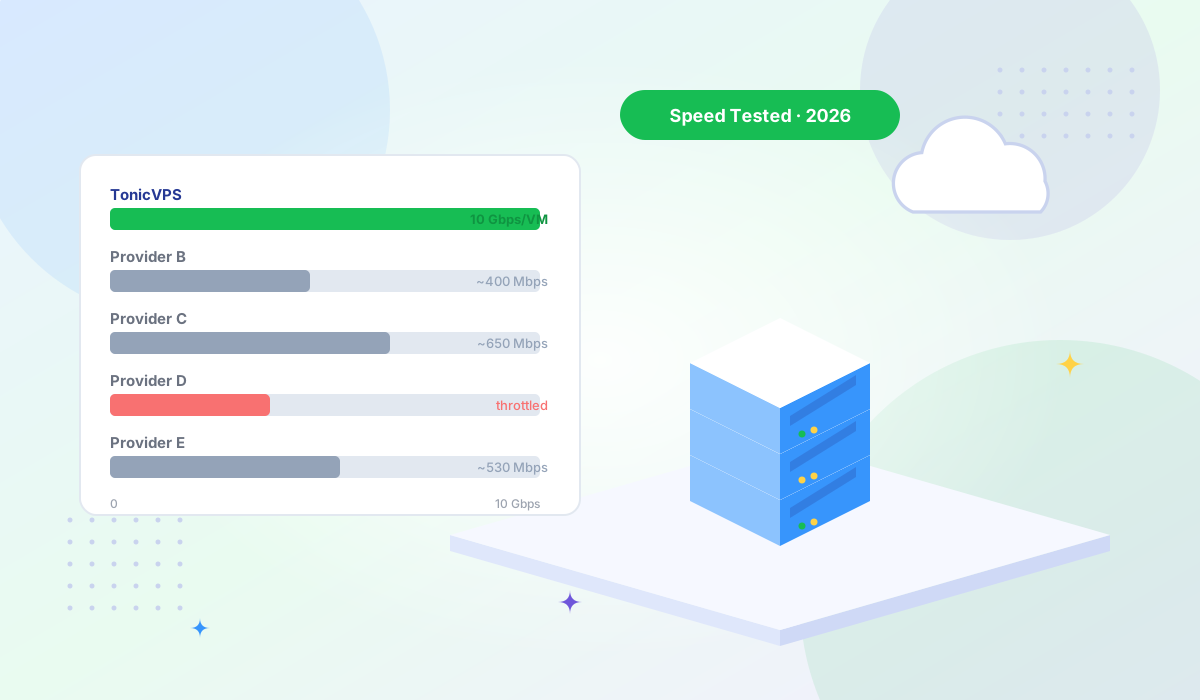
Most providers advertise a 1 Gbps port. Most don't explain what that means when you push sustained traffic for hours. We tested six providers to find out who actually delivers...


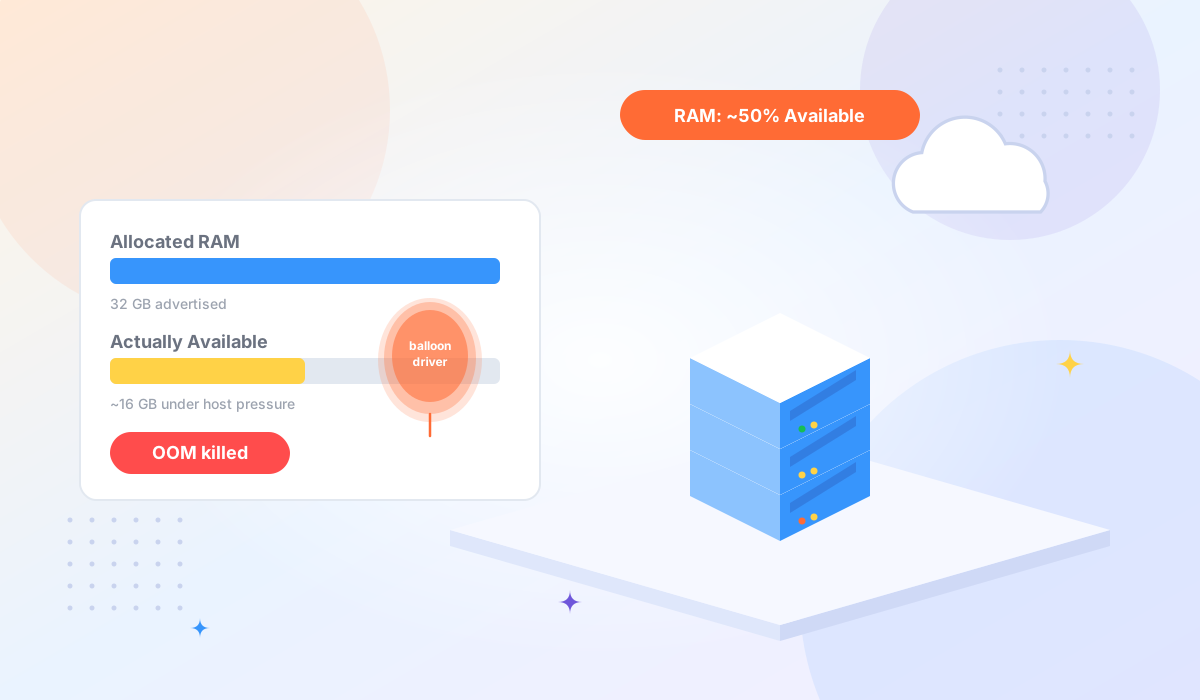
You ordered a 32 GB VPS. The spec sheet is clear, the billing statement confirms it, and free -m shows 32,768 MB when you first log in. Everything looks fine — until your application starts climbing toward 50% memory usage. Suddenly response times spike, the OOM killer starts culling processes, and nothing in your application logs explains why. Your database isn't leaking memory. Your code hasn't changed. You haven't done anything wrong.
What you're running into is memory overcommitment — one of the most common and least-discussed practices in budget VPS hosting. Understanding it won't necessarily change what happened, but it will help you choose the right infrastructure for your next workload.
A physical server has a fixed amount of RAM — say, 256 GB. A hypervisor (the software layer that creates and manages virtual machines) can carve that 256 GB into however many VMs the operator configures. In a dedicated-RAM model, the math is strict: 8 VMs × 32 GB = 256 GB, and not one byte more.
Overcommitment breaks that constraint. The hypervisor can present 32 GB of virtual RAM to each VM while relying on the statistical observation that most VMs won't use their full allocation at the same time. If ten of those 32 GB VMs are each using 12–14 GB on average, the host never actually feels the pressure of serving 320 GB of allocation against 256 GB of physical memory. The provider fits more VMs on each host and keeps costs down.
This is not inherently dishonest — it's an engineering tradeoff that works well for light, variable workloads. The problem arises when a VPS is sold as having "32 GB RAM" without disclosing that 32 GB is a ceiling, not a guarantee, and that the actual available memory under load depends on what everyone else on the same host is doing at the same moment.
The mechanism that makes overcommitment work at the VM level is called memory ballooning. Here's what happens, step by step:
A small driver is installed inside your VM — the virtio balloon driver on KVM hosts, or similar drivers on other hypervisors. This driver sits quietly until the host needs memory back. When the physical host starts running low on RAM (because several co-tenants spiked simultaneously, or because the host is simply overloaded), the hypervisor instructs the balloon driver in your VM to "inflate."
Inflating means the balloon driver allocates pages of memory inside your VM — pulling them away from the pool available to your applications — and then tells the hypervisor those pages are free to use on the host. From your application's point of view, the available RAM simply shrank. There's no error message. There's no log entry saying "your hypervisor just took back 8 GB." The OOM killer eventually fires when something tries to allocate memory and there's nothing left to give it.
The process is symmetric: when host pressure eases, the balloon deflates and those pages return to your VM. Under light, consistent load, you may never notice it. Under heavy, sustained load — exactly the conditions where you most need your full RAM allocation — you're most vulnerable to reclaim events.
Overcommitment is a legitimate cost optimization strategy, and it's used across the industry from small budget hosts to large cloud providers. The economics are straightforward: physical RAM is expensive, and most VMs underutilize their allocation most of the time. A host that can place twelve 32 GB VMs on 256 GB of physical RAM instead of eight is running a meaningfully more efficient business.
Some providers are transparent about this. Their terms of service or FAQ will describe "best effort" or "burstable" RAM allocations, or they'll advertise specifically that RAM is not overcommitted as a selling point. Others leave the question unanswered, which is where informed buyers need to do their own investigation.
Overcommitment at modest ratios (1.2:1 to 1.5:1) on a well-managed host rarely causes problems for the workloads it was designed for: low-traffic websites, development environments, small tools and bots. At higher ratios, or on a host with noisy neighbors, the behavior becomes unpredictable. The issue isn't that providers overcommit — it's when the workload doesn't match the product.
You can check for the balloon driver in under a minute. SSH into your VPS and run:
lsmod | grep balloonIf you see output like virtio_balloon or balloon, the driver is loaded. This doesn't prove your RAM is being reclaimed right now — it means the capability is present and the hypervisor can invoke it. On a well-provisioned host with a low overcommit ratio, the balloon may never actually inflate. On an overloaded host, it will.
For a second data point, compare what the OS reports against what the kernel actually sees:
free -m
grep MemTotal /proc/meminfo
Under normal conditions these numbers match. If you run these commands repeatedly over time and notice MemTotal fluctuating — especially dropping under load — the balloon driver is actively working. You can also run a memory benchmark with YABS (curl -sL yabs.sh | bash), which will stress the system and make any reclaim behavior more visible during the test.
Finally, check whether your provider publishes any documentation about memory allocation policy. A provider that offers non-oversold VPS hosting will usually say so directly and be specific about what "dedicated RAM" means in their architecture. TonicVPS KVM plans guarantee the RAM allocation shown in your plan — no balloon driver, no overcommitment. For a deeper look at how KVM virtualization enforces hard resource isolation at the hypervisor level, see our comparison guide. If you're evaluating budget providers where this is a known concern, our Contabo alternatives guide covers options with transparent allocation policies.
Not all applications respond to sudden RAM reduction the same way. These are the categories where overcommitment causes the most tangible problems:
--max-old-space-size). If the balloon deflates the available physical RAM below the heap ceiling your process is trying to grow into, the process crashes. This is a particularly silent failure mode.Overcommitment matters much less for these use cases, and budget VPS plans are often a reasonable choice for them:
If your workload falls into the at-risk category, ask these questions before committing to a plan. Reputable providers will have clear answers; vague non-answers are themselves informative.
The VPS market spans a wide spectrum. On one end are heavily overcommitted budget hosts where the low price reflects the shared nature of the resources. On the other are providers that run at or near 1:1 RAM allocation and explicitly advertise it.
When evaluating providers in the dedicated-RAM category, look for those that specify KVM virtualization (which makes true isolation possible), document their allocation policy in their ToS or FAQ, and allow you to verify server performance with independent benchmarks before committing.
Tonic VPS KVM plans allocate RAM as a hard resource — the balloon driver is not enabled, and the host overcommit ratio is kept low. That's one option among several in this category; the broader point is to verify the claim rather than take it on faith. Ask for the specific language in the service agreement, run YABS after provisioning, and check lsmod | grep balloon on your first login.
If your workload also involves large volumes of data transfer alongside memory-sensitive processing, High Bandwidth VPS plans combine dedicated resource allocation with high-throughput network connectivity — relevant for applications like database replicas, media processing pipelines, or large-scale API backends.
Memory overcommitment is a legitimate architectural choice, and the VPS plans built on it serve plenty of real use cases well. The problem isn't the practice — it's the mismatch between what workloads expect and what some plans silently deliver.
A developer running a high-traffic database, a Redis cache, or a multi-container Docker application on a budget VPS isn't doing anything wrong when their app crashes at 50% of advertised RAM. They bought a product optimized for a different workload. The information to make a better decision was available — it just wasn't prominently advertised.
Run lsmod | grep balloon before you deploy to production. Ask your provider the four questions above. Match your infrastructure to your workload rather than to the lowest price at the required spec number. That single habit will save more debugging hours than almost anything else in the VPS selection process.
If dedicated RAM matters for your use case, Tonic VPS plans guarantee allocated resources — no balloon driver, no overcommitment. See KVM VPS plans →
More VPS hosting guides, server tutorials, and infrastructure tips from our blog.
Most providers advertise a 1 Gbps port. Most don't explain what that means when you push sustained traffic for hours. We tested six providers to find out who actually delivers...
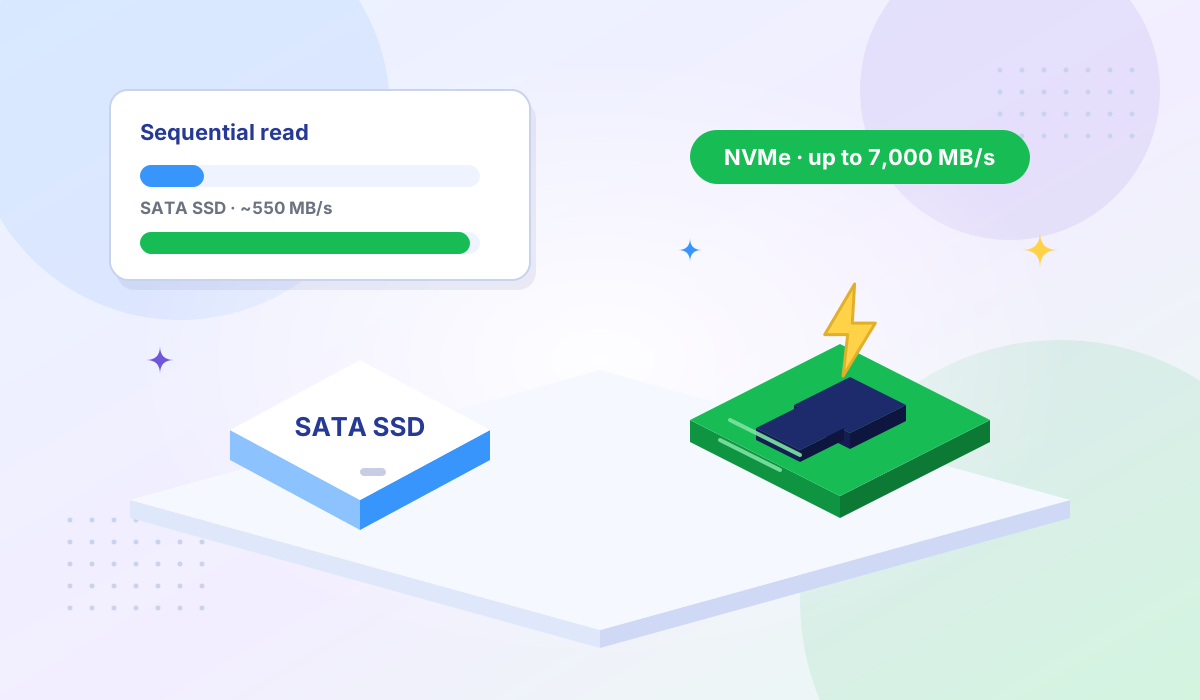
Here's what that means for your server and how to decide which storage type your workload actually needs.
Contabo's pricing is hard to argue with — until your production app goes down at 2 AM and the ticket queue says 24–48 hours. Here's who's worth moving to when reliability becomes non-negotiable...